Windows 11 Overhaul: Microsoft Tests Granular Start Menu Control and Taskbar Flexibility

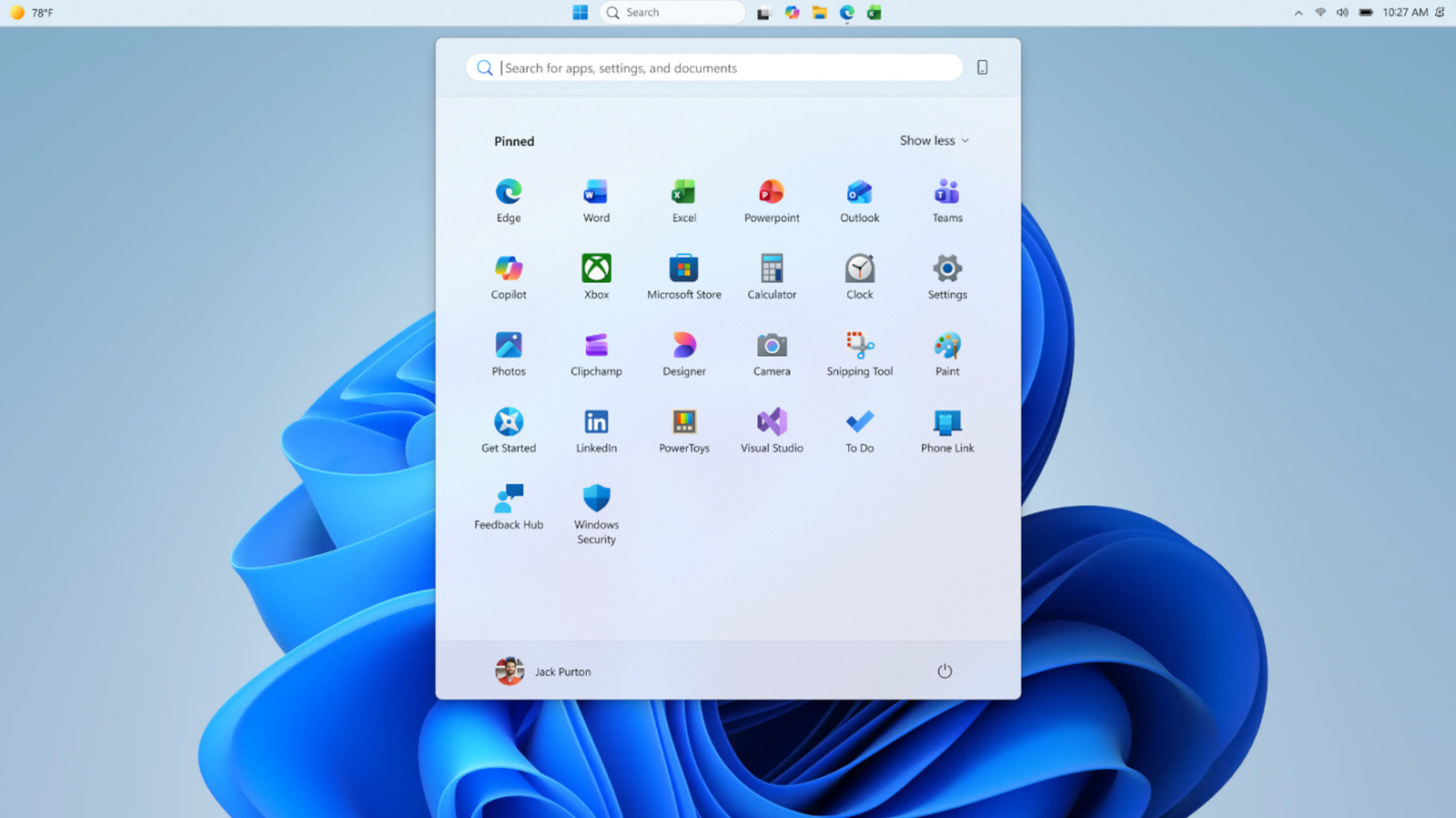
- Microsoft is testing adjustable Start menu sizes, allowing users to choose between 'Small' and 'Large' footprints to reduce visual clutter.
- New granular controls enable users to hide individual sections (Pinned, Recommended, All) and remove profile identification for enhanced privacy.
- Taskbar customization is returning, with support for docking to any screen edge and flexible icon alignment options.
Customizing the Windows 11 Experience: New Insider Features Explained
Microsoft is stepping up its commitment to user personalization in Windows 11. In a move that addresses long-standing community feedback, the tech giant has begun rolling out significant UI updates to Windows Insiders in the Experimental channel. These changes focus on refining the Start menu’s footprint and restoring long-requested flexibility to the taskbar’s positioning.
Taking Control of Your Start Menu
Since the major interface update in November 2025, many users have expressed frustration over the ballooning size of the Windows 11 Start menu. Microsoft is finally providing a solution by introducing a size-toggle feature. Users can now manually switch between ‘Small’ and ‘Large’ presets, ensuring the menu fits their specific screen real estate and workflow preferences.
Beyond simple sizing, Microsoft is introducing a more modular approach to the menu’s composition. Users will soon gain access to section-level toggles, allowing them to enable or disable the following areas independently:
- Pinned: Control your curated list of essential applications.
- Recommended: Manage AI-driven suggestions and recent file highlights.
- All Apps: Show or hide the full application directory for a cleaner look.
Additionally, privacy-conscious users can now disable file recommendations exclusively within the Start menu, preventing internal files from appearing in public-facing screen shares or streams. A new privacy option also allows for the removal of the user’s name and profile picture from the menu header.
Taskbar Freedom Returns
One of the most persistent requests since the Windows 11 launch has been the ability to move the taskbar from its fixed bottom position. The latest Insider build signals a return to classic flexibility, allowing users to dock the taskbar on any of the four screen edges: top, bottom, left, or right.
Microsoft has also implemented new alignment logic to ensure the interface remains visually balanced regardless of placement:
- Left/Right Docking: Offers users the choice between top-aligned or centered icon layouts.
- Top/Bottom Docking: Supports the traditional left-aligned and centered icon configurations.
How to Access These Features
These updates are currently part of the Experimental channel for the Windows Insider program. To participate in testing these features, users must register their Microsoft account for the Insider program via the Windows Settings menu. By providing feedback through the Feedback Hub, Insiders directly influence the polish and performance of these features before they reach the general public in a future stable release.
While these changes are currently in the testing phase, they represent a major shift in Microsoft’s design philosophy, moving away from a one-size-fits-all approach toward a more personalized, user-centric desktop environment.