watchOS 27 Compatibility: Is Your Apple Watch Ready for the Future?

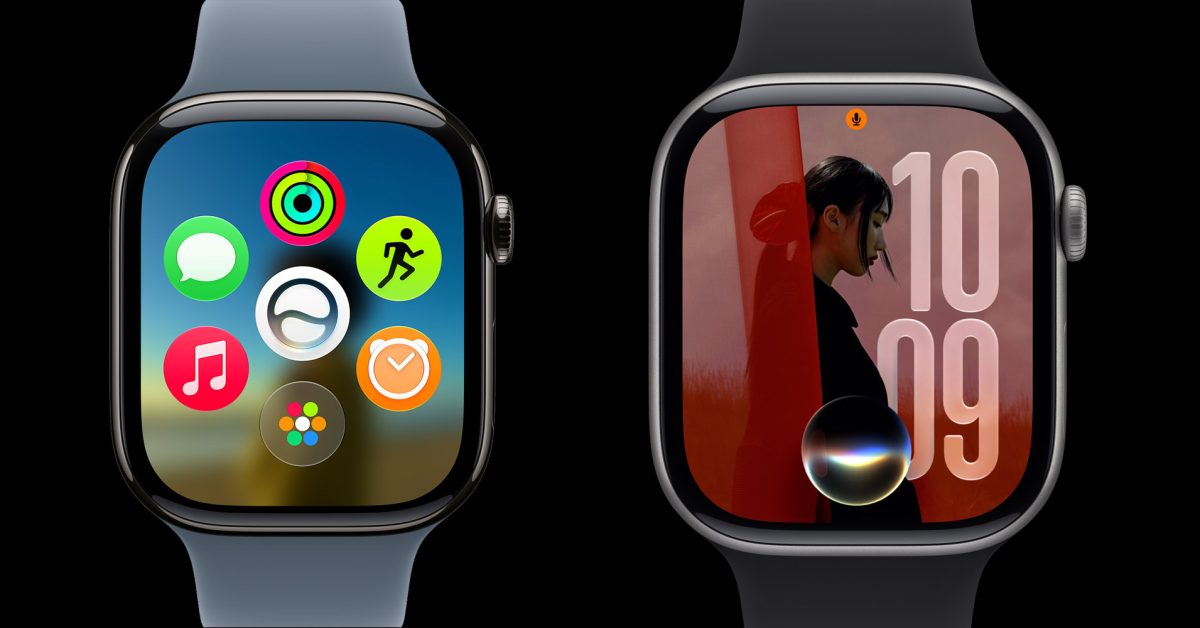
- watchOS 27 introduces advanced Siri AI and enhanced workout analytics but demands newer hardware.
- Apple has officially dropped support for older models including the Series 6 through 9 and the original Apple Watch Ultra.
- Compatible devices are limited to Series 10, 11, SE (3rd gen), and Ultra 2 and 3, requiring an iPhone 11 or later.
The Evolution of watchOS 27: What You Need to Know
As Apple officially unveiled watchOS 27 at WWDC26, the company has signaled a major shift in its hardware lifecycle strategy. With a heavy emphasis on AI-driven capabilities and advanced health analytics, this year’s software release comes with a significant trade-off: a major culling of older hardware support. For users wondering if their device will make the cut, understanding these new hardware requirements is essential.
What’s New in watchOS 27?
Apple’s latest iteration of its wearable operating system is designed to transform the wrist into a central hub for artificial intelligence. Key highlights include:
- Siri AI Integration: A completely overhauled Siri experience that utilizes on-device machine learning for faster, more contextual responses.
- Advanced Workout Analytics: Enhanced data visualization for athletes, providing deeper insights into performance trends.
- Expanded Language Support: The ‘Workout Buddy’ feature now natively supports Spanish, expanding its accessibility to a global user base.
The Changing Landscape of Compatibility
The most notable development in watchOS 27 is the transition away from previous generations of hardware. Apple has officially discontinued support for the Apple Watch Series 6, 7, 8, and 9, as well as the 2nd generation Apple Watch SE and the original Apple Watch Ultra. This move underscores Apple’s push toward leveraging newer processors capable of handling the heavy computational load required by the new AI feature set.
Which Devices Still Make the Cut?
If you are looking to install the latest software, your device must be one of the following models:
- Apple Watch Series 10
- Apple Watch Series 11
- Apple Watch Ultra 2
- Apple Watch Ultra 3
- Apple Watch SE (3rd generation)
Important Prerequisites
Hardware compatibility isn’t limited to the watch itself. To successfully install watchOS 27, your paired iPhone must also be running iOS 27. Specifically, you will need an iPhone 11 or newer, or the 2nd generation iPhone SE (or later). As always, keep in mind that performance on older devices that barely qualify might differ from the experience on the latest flagship models, and certain AI features may be exclusive to the newest chipsets.
Is it time for an upgrade? If your device didn’t make the list, you might miss out on the latest security patches and the new AI-centric interface. Stay tuned to Teknolojia.org for our upcoming in-depth review of watchOS 27 features.



