Stop the Chaos: ‘Cats Lock’ is the Essential Mac Utility for Feline-Friendly Productivity

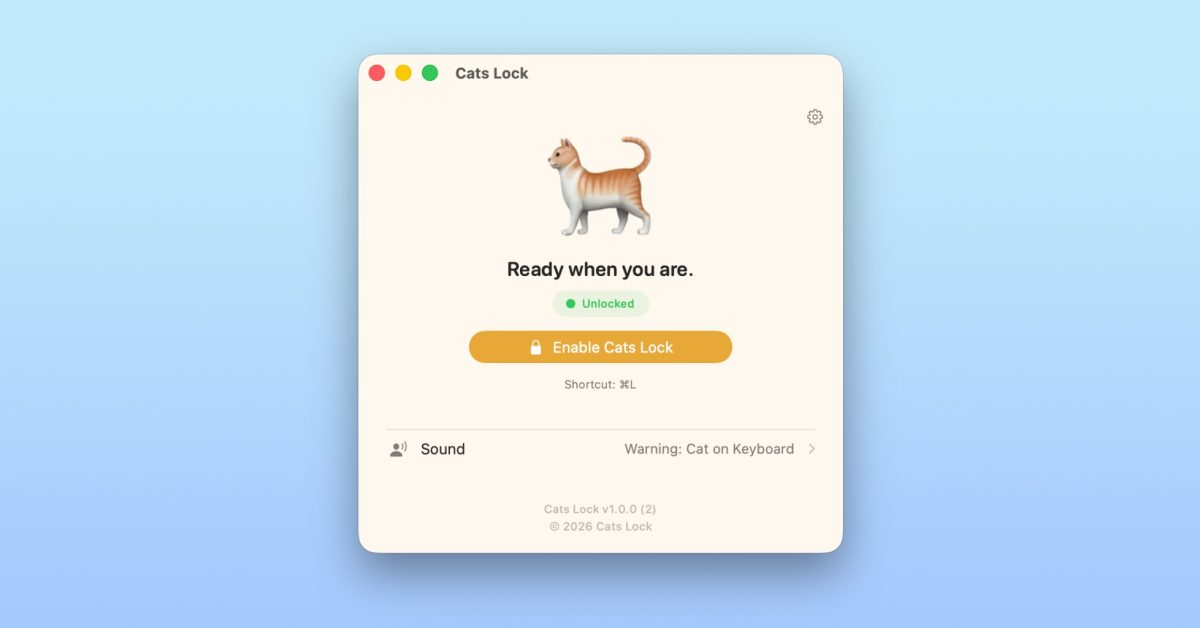
- Cats Lock allows you to instantly disable your Mac keyboard via Cmd + L to prevent accidental inputs from pets.
- Features include a helpful 'Stealth Mode' for meetings, custom audio feedback for keystrokes, and automatic screen blurring.
- The app is a privacy-first, one-time purchase on the Mac App Store with no subscriptions or data tracking.
Tame the Keyboard Chaos with Cats Lock
For remote workers and creative professionals who share their office space with a feline companion, the “cat-on-keyboard” phenomenon is all too familiar. A stray paw stepping across your MacBook can lead to anything from accidental email sends to system setting changes. Enter Cats Lock, a brilliant, lightweight indie utility designed specifically to neutralize your keyboard without sacrificing your workflow.
How It Works
Cats Lock simplifies the process of securing your workstation. With a simple global hotkey—Cmd + L—you can instantly disable all keyboard input. Once activated, your feline friend is free to wander or sprawl across your keys without triggering a single command.
Key Features for Every Scenario
- Instant Toggle: Use the menu bar icon or the keyboard shortcut for immediate protection.
- Interactive Feedback: The app includes optional custom sound effects for each keystroke, allowing you to monitor “cat activity” even while you are away from your desk.
- Visual Security: By default, the app applies a screen blur, providing extra privacy while the keyboard is locked.
- Stealth Mode: Need to keep your screen visible for a meeting while keeping the keyboard locked? Enable Stealth Mode to deactivate the blur and audio cues while maintaining input protection.
Why It’s a Must-Have Utility
Beyond its obvious utility for cat owners, Cats Lock is a testament to clean, privacy-focused indie development. The app is fully sandboxed and completely free of tracking, ensuring your data remains yours. At a price of $2.99, it is a one-time purchase, refreshing in an era dominated by recurring subscription models. There are no hidden in-app purchases, making it a rare, straightforward addition to your Mac utility toolkit.
Whether you are trying to write a report without your pet rewriting it for you or simply want to take a break while leaving your Mac running, Cats Lock provides peace of mind in a sleek, compact package. You can find it available now on the Mac App Store.