Unlocking macOS Golden Gate 27: A Guide to the First Developer Beta

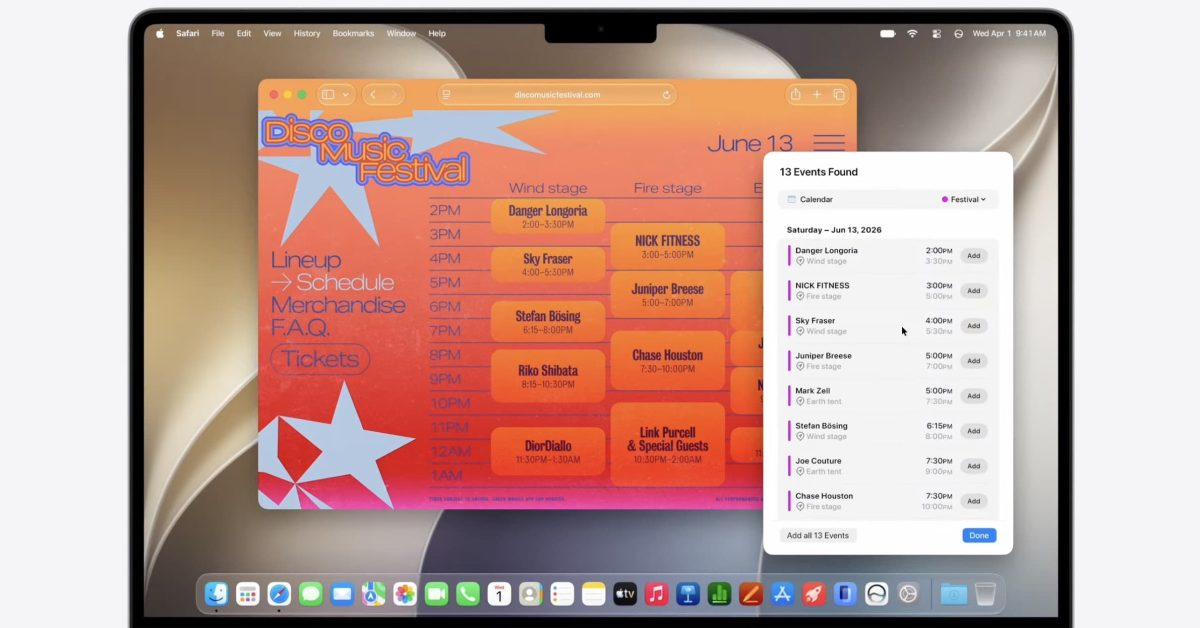
- Apple has launched the first developer beta of macOS Golden Gate 27, featuring significant AI advancements and the new Liquid Glass interface.
- Key updates include a smarter Shortcuts app, deep Apple Intelligence integration in Safari, and a complete architectural upgrade to Siri.
- Users can install the beta via System Settings under 'Software Update,' though caution is advised due to potential pre-release stability issues.
The Next Evolution of the Mac Experience
Following the exhilarating keynote at WWDC26, Apple has officially initiated the testing phase for its next major operating system update, macOS Golden Gate 27. The first developer beta is now live, offering enthusiasts and developers an early look at the innovations designed to redefine desktop computing. With a heavy focus on Artificial Intelligence and interface fluidity, this release promises to be one of the most significant architectural shifts for the platform in recent years.
Key Features and Enhancements
macOS Golden Gate 27 introduces a suite of sophisticated features designed to boost productivity and streamline user interaction:
- Liquid Glass Interface: A visual overhaul providing smoother animations and a more cohesive, translucent aesthetic across the system.
- Next-Gen Siri: A reimagined Siri application that integrates deeper into system-level tasks with improved natural language processing.
- Apple Intelligence Integration: System-wide AI enhancements that now extend into the Safari browser, offering smarter content summarization and contextual awareness.
- Proactive Shortcuts: An AI-driven Shortcuts application that learns your workflow patterns to suggest automated tasks before you even think of them.
How to Install the macOS Golden Gate 27 Beta
Before proceeding, it is critical to note that beta software is intended for testing environments. As these early builds can contain stability bugs or compatibility issues, we strongly advise against installing this on your primary workstation.
If you have an Apple Developer account, follow these steps to get started:
- Back Up Your Data: Always perform a full Time Machine backup before attempting any OS installation.
- Navigate to Settings: Open System Settings on your Mac.
- Access Software Update: Head to General, then select Software Update.
- Enable Beta Updates: Click the ‘i’ icon next to ‘Beta Updates.’
- Select the Beta: From the dropdown menu, choose ‘macOS Developer Golden Gate Beta’ and click ‘Done.’
Once selected, your Mac will check for the update. Follow the on-screen prompts to download and install the software. Be prepared for a longer-than-usual installation process as the system optimizes its new AI frameworks.
A Word of Caution
The transition to macOS Golden Gate 27 represents a massive leap in core functionality. While the features mentioned are promising, developers and early adopters should expect minor system glitches. As we continue to deep-dive into the code, keep an eye on Teknikolojia.org for our upcoming breakdown of hidden features and stability tips.



