Paws Off: ‘Cats Lock’ Brings Essential Keyboard Security to Mac Users

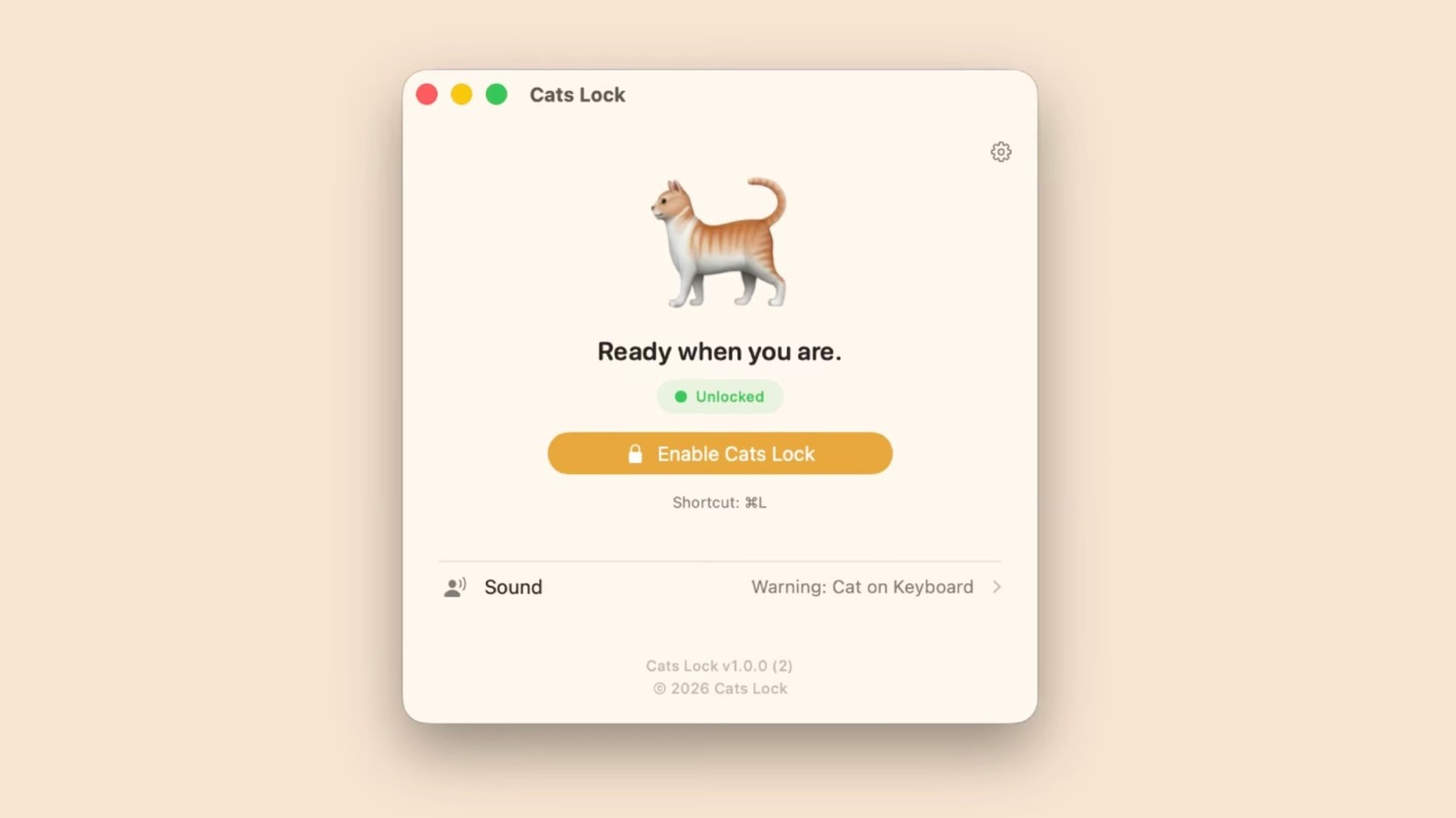
- Cats Lock is a $3 macOS utility that instantly disables keyboard input to prevent accidental commands from pets walking on your hardware.
- The app features customizable deterrent sounds, a silent 'Stealth Mode,' and automatic unlocking features when the screen sleeps.
- Compatible with macOS Sonoma and later, it provides an unobtrusive, lightweight solution for pet-owning professionals and remote workers.
Defending Your Workflow from Feline Interruption
For many remote workers and home-office enthusiasts, our beloved pets are constant companions. However, that companionship often comes with a technical price: the dreaded accidental keystroke or unintended system command triggered by a curious cat sauntering across a MacBook keyboard. Addressing this niche yet persistent issue, indie developer Todd Alexander has released a clever utility aptly titled Cats Lock.
What is Cats Lock?
Cats Lock is a specialized macOS application designed to instantly neutralize your keyboard input. Available now on the Mac App Store for a nominal fee of $3, the app provides a safeguard against the chaos of unsolicited feline assistance. Whether your cat is prone to sending unfinished emails, deleting important files, or simply shortcutting their way into your system settings, this tool acts as a digital barrier.
Key Features for the Modern Pet Owner
The application is built with both practicality and stealth in mind. Rather than requiring complex system tweaks, it focuses on ease of access:
- One-Click Activation: Users can lock their keyboard instantly via the menu bar or by utilizing customizable keyboard shortcuts.
- Deterrent Audio: The app includes a unique feature that plays warning sounds when pressure is detected on the keyboard. Users even have the flexibility to record custom deterrent noises to discourage their pets from making the keyboard a resting spot.
- Stealth Mode: For those working in professional environments or focus-heavy sessions, the app offers a Stealth Mode. This allows the software to run silently without visual overlays or disruptive notifications.
- Intelligent Recovery: To ensure you aren’t permanently locked out, the app is designed to auto-unlock as soon as the screen goes to sleep, maintaining a seamless user experience.
Compatibility and Technical Requirements
Cats Lock is engineered specifically for modern Apple hardware, requiring macOS 14.0 (Sonoma) or later. By leveraging the latest system APIs, the app ensures stability and security without compromising the performance of your machine. It is a lightweight solution that avoids the bloatware often found in system-level utilities, making it an ideal candidate for anyone looking to maintain a clean and productive workspace.
While the concept may seem humorous, the utility is a testament to the growth of the indie developer ecosystem on macOS, proving that even the most whimsical problems can be solved with thoughtful, focused software engineering. If you are tired of playing the ‘cat and mouse’ game with your MacBook, Cats Lock offers a simple, effective, and professional solution to protect your workflow.